Your calendar
Calenda reads when your busy slots start and end. It doesn’t read titles, attendees or locations.
Calenda turns calendars into availability.Freelancers share it.Companies follow it.


Calenda calculates availability automatically, by comparing busy slots with working hours. The result is a number of free hours and an availability percentage.
Calenda reads when your busy slots start and end. It doesn’t read titles, attendees or locations.
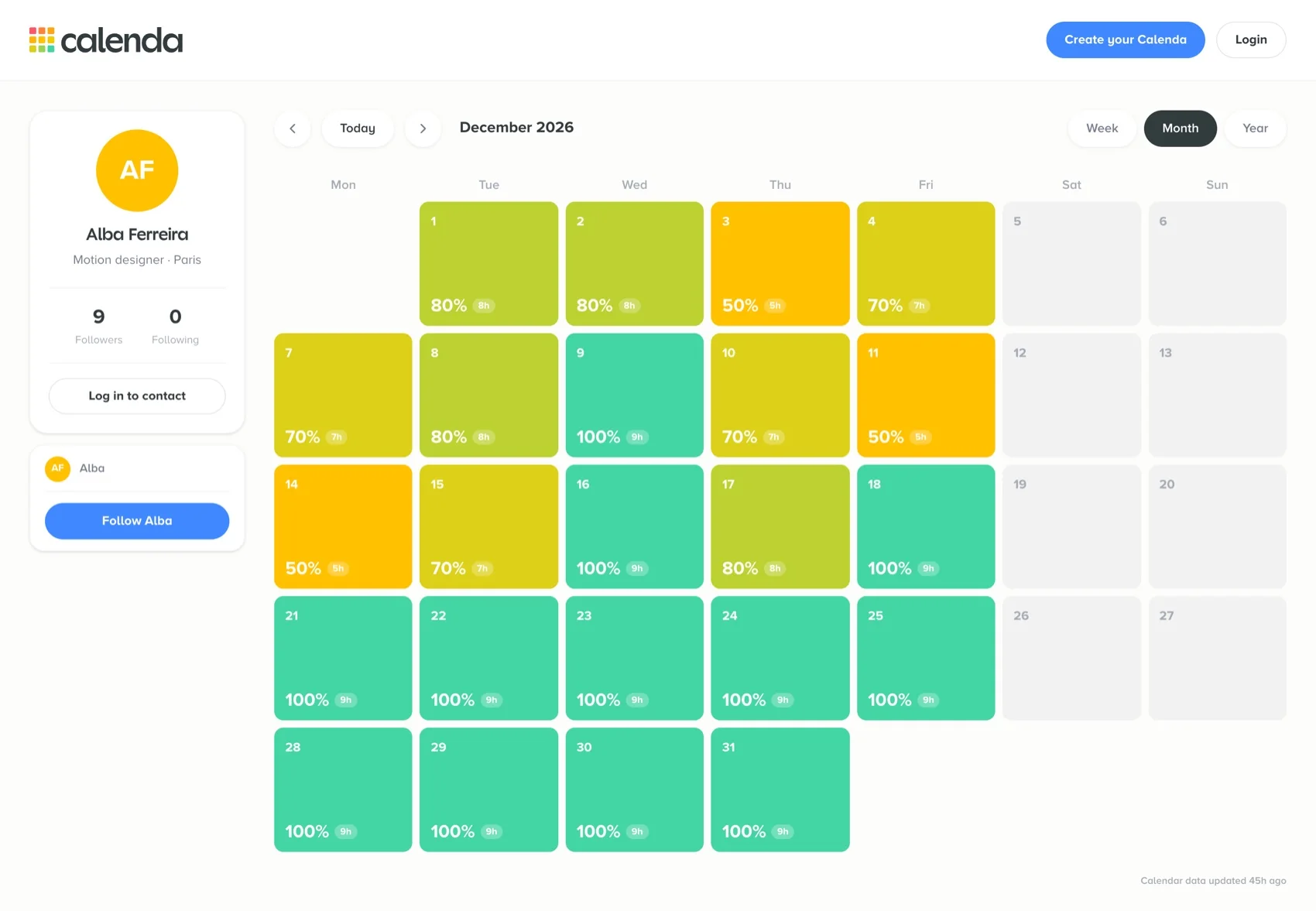
You set your working days and hours. Free time is what’s left once the busy slots are taken out.
6 free hours out of 9 is 66%. Calenda rounds down to the nearest ten and shows 60%, so it never promises more than you have.
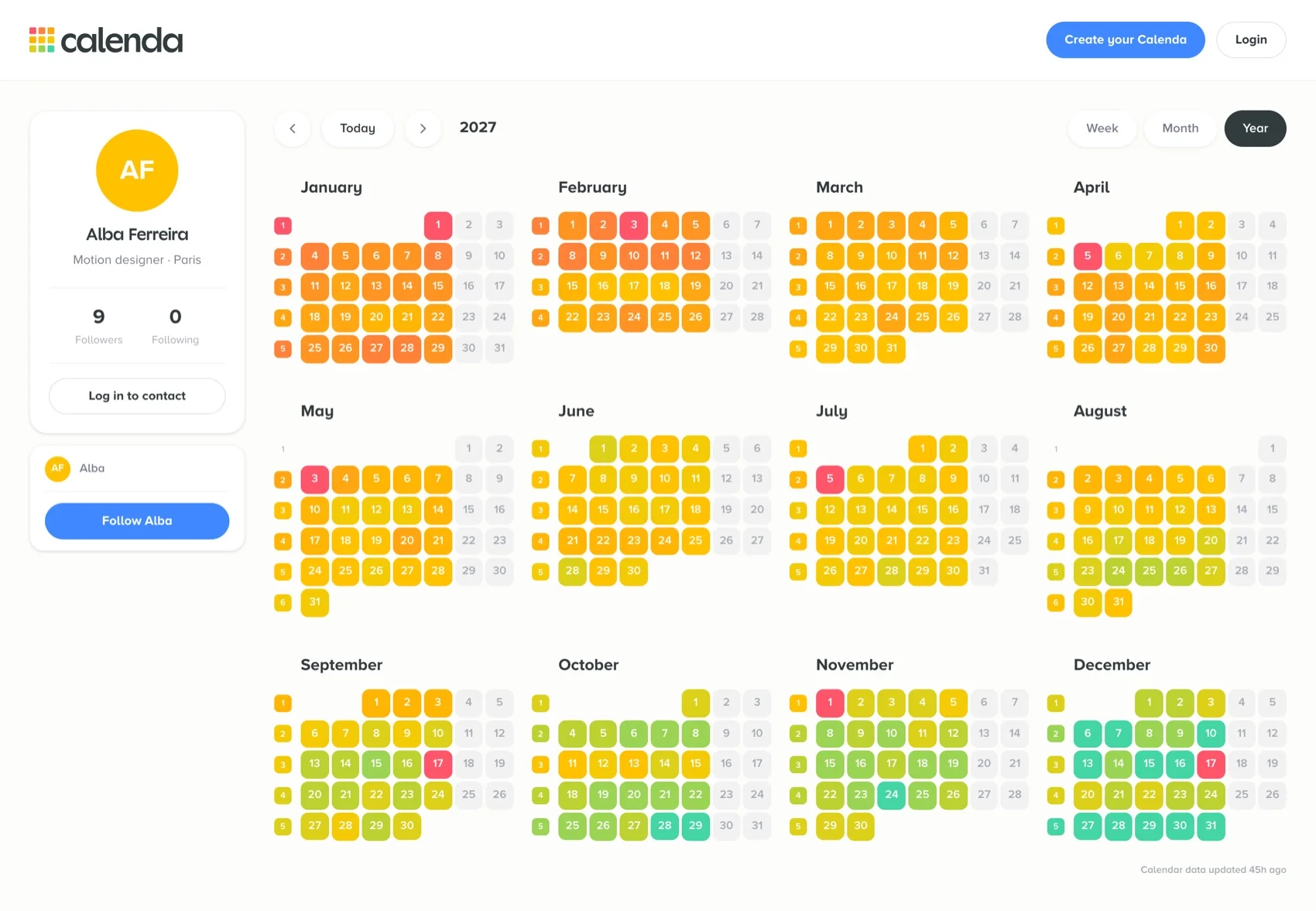
Calenda publishes your availability on a page in your name, calenda.io/you. Invite your clients and partners by email or by link. They follow you and find your availability in their network, always up to date, without having to message you.
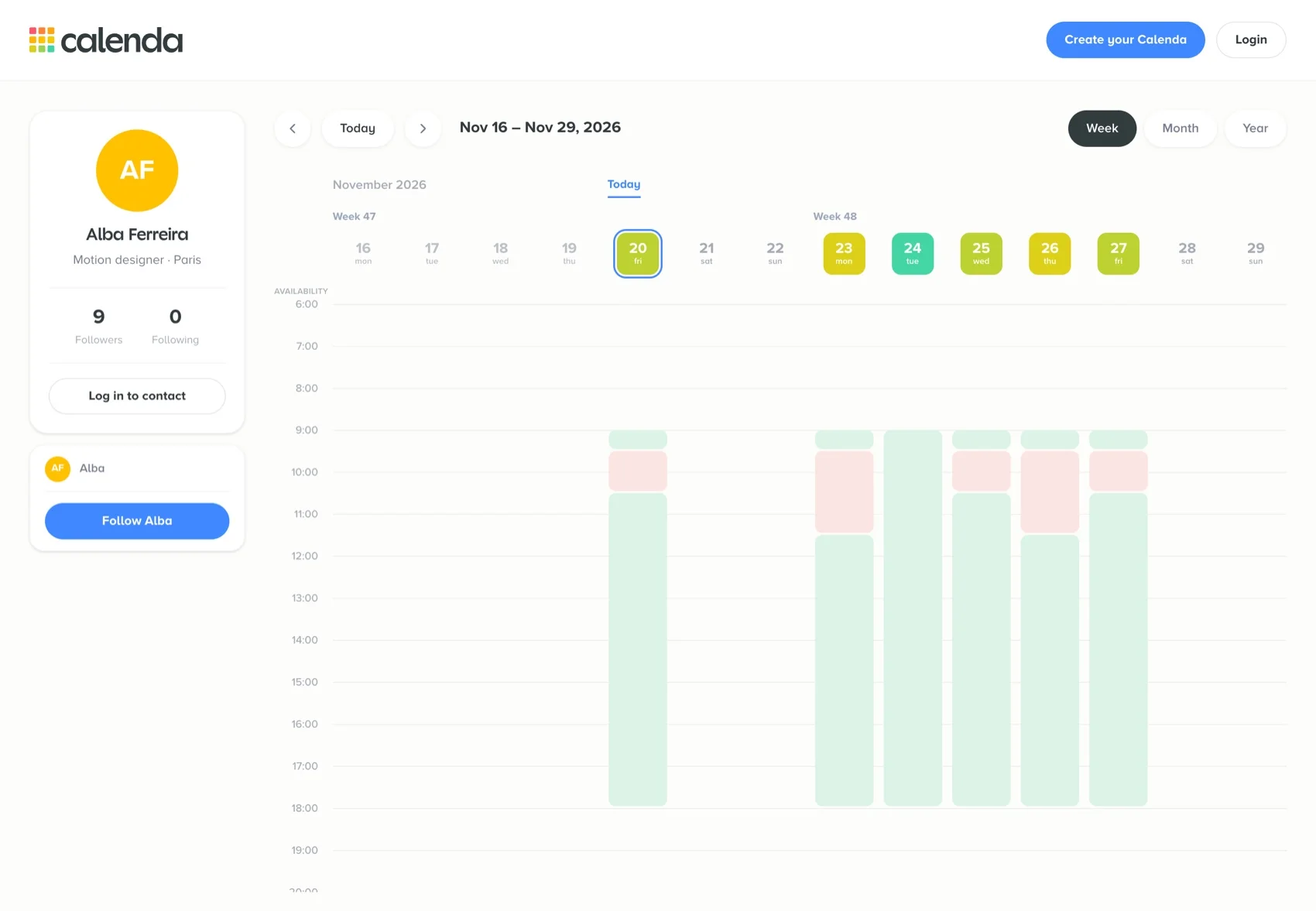
The public page, as a visitor sees it. The Week view shows free time, with no titles at all.
“I posted my Calenda on LinkedIn. Two former clients came back the same week, for slots I would never have thought to offer.”Marie Lopez · Freelance art director
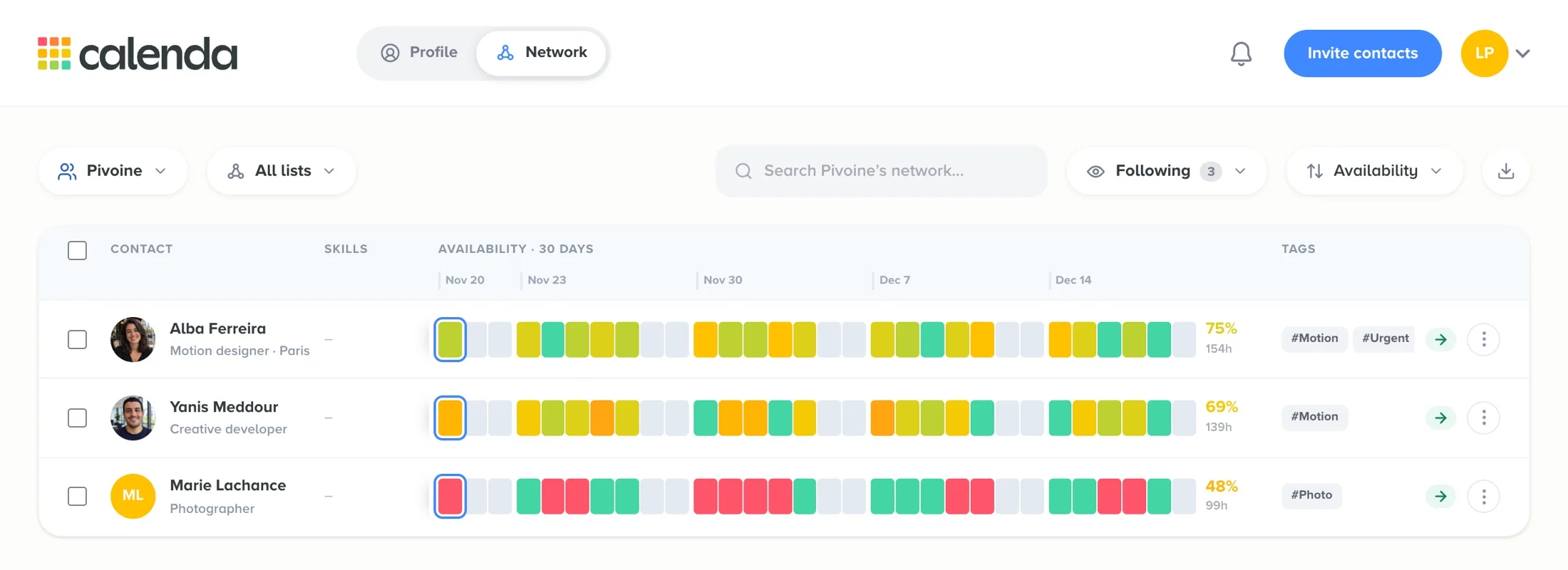
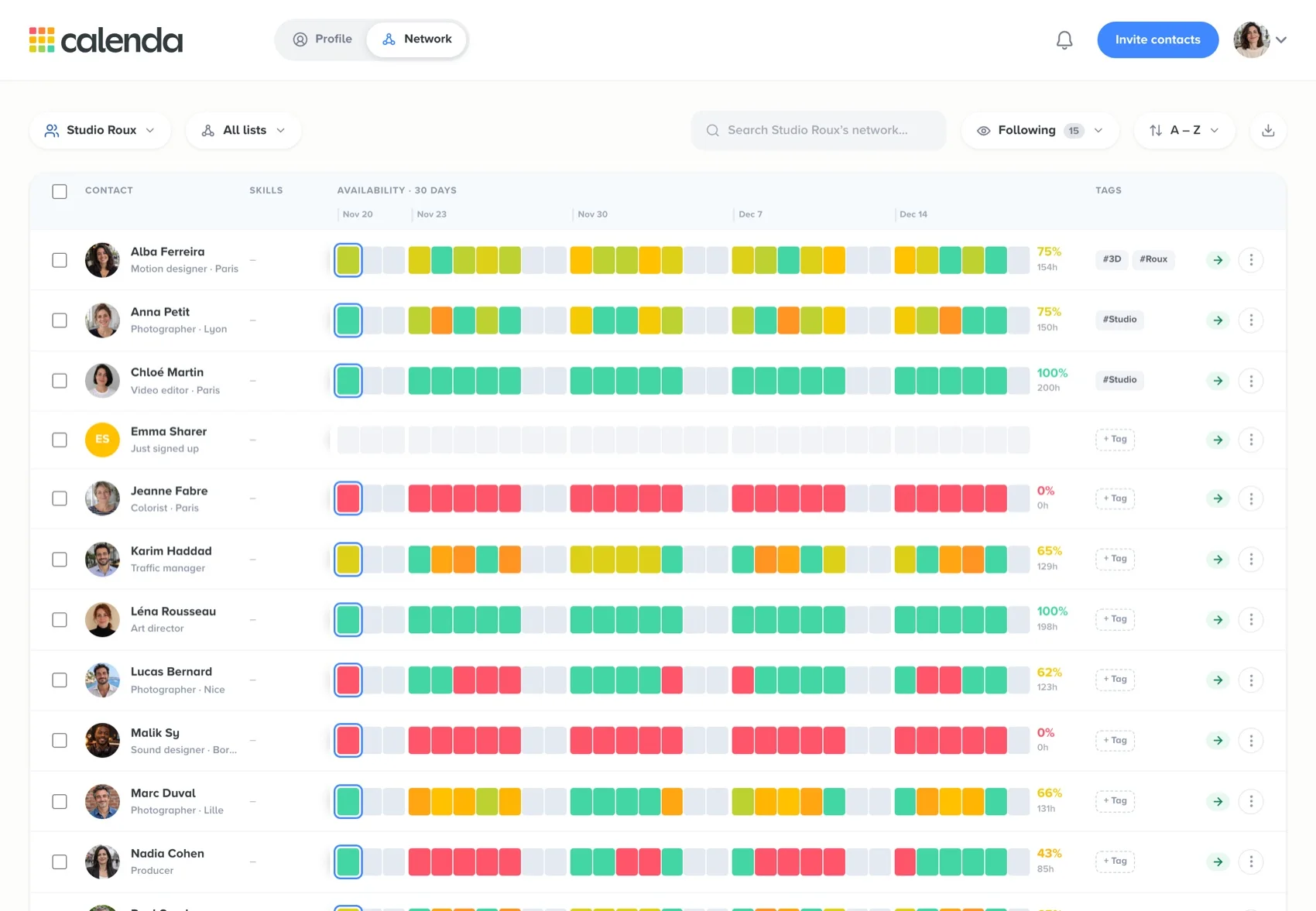
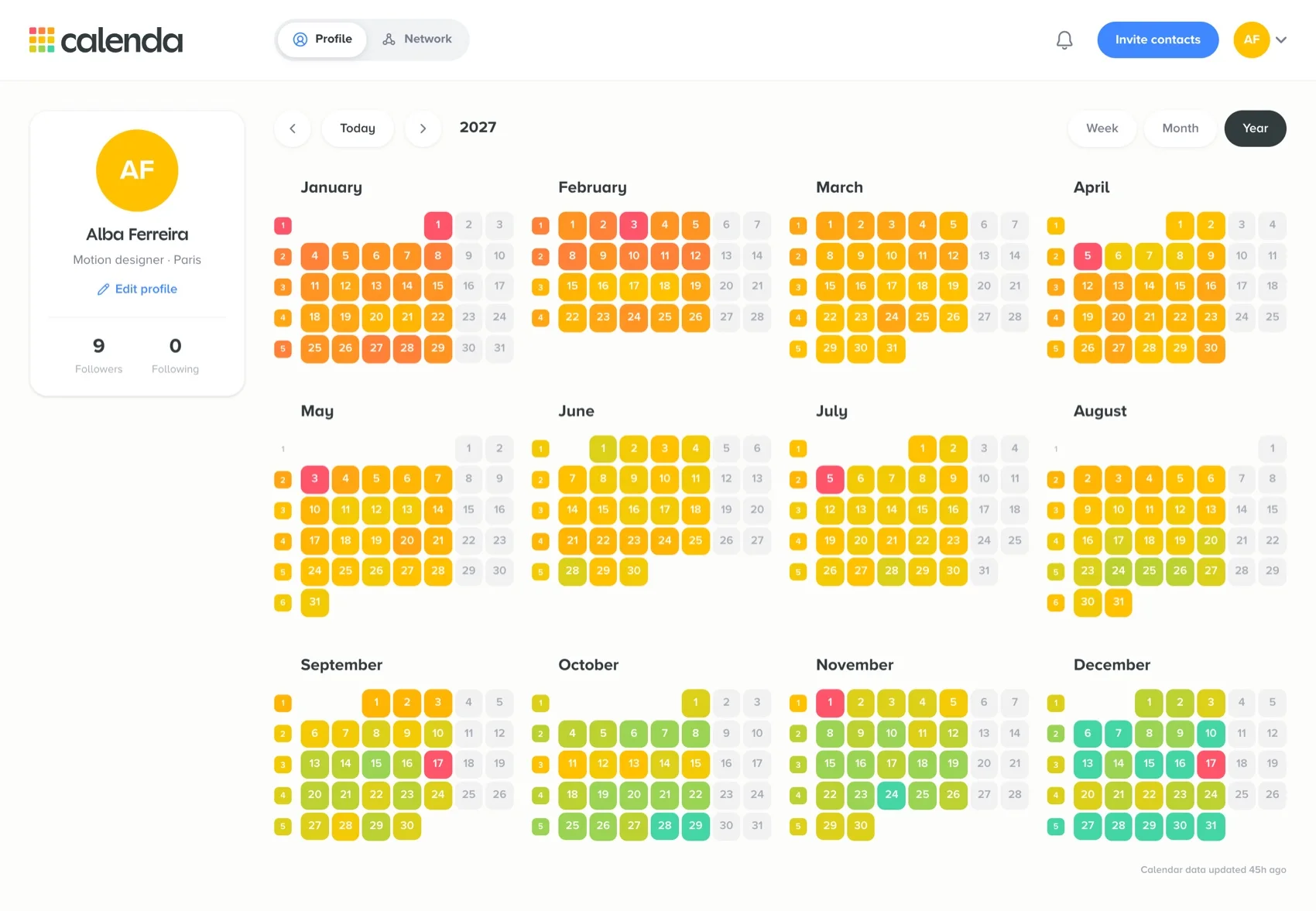
Build, organize and share your network, and see your partners’ availability at a glance.

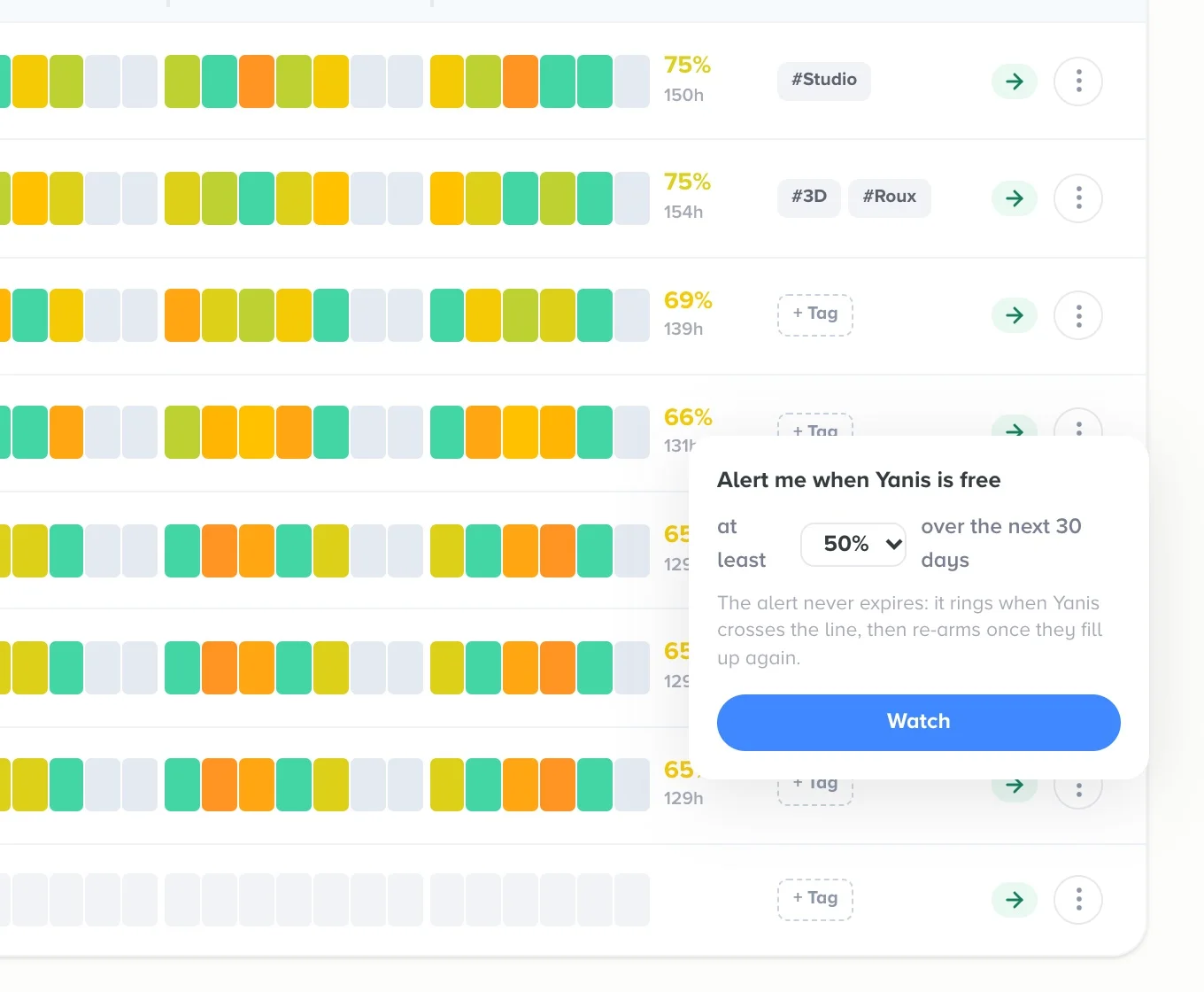
You pick a threshold, from 10 to 90% over the next 30 days. Calenda lets you know when the person crosses it, and the alert resets once their calendar fills up again.

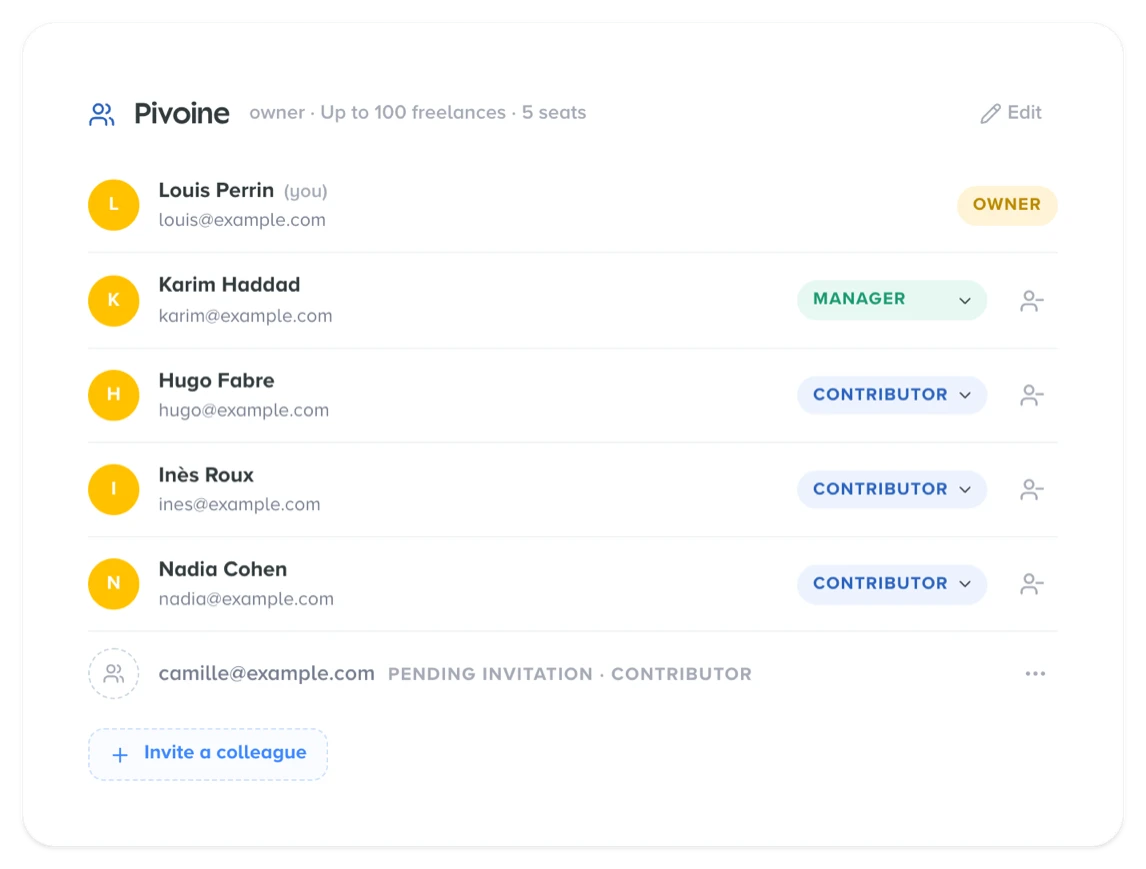
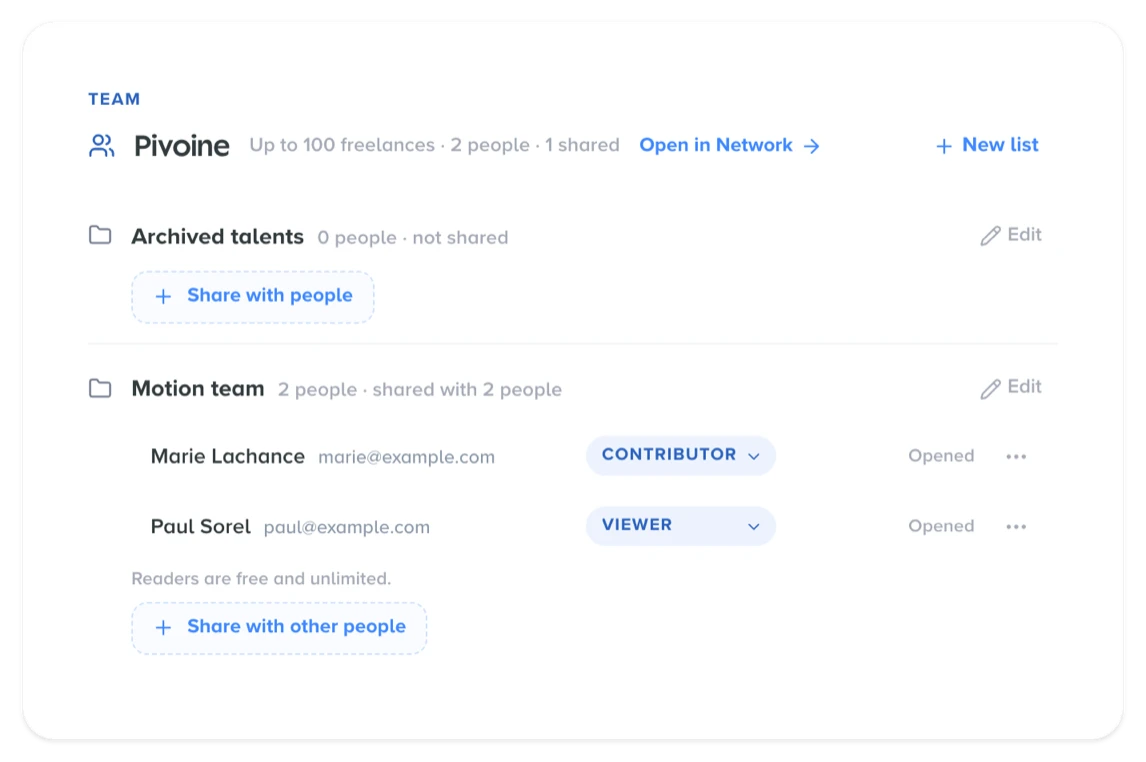
Owner, manager, contributor. Each team has its own network, separate from your personal one.

Share a selection by email, to view or to contribute. You can take access back whenever you like.
“Staffing a project used to mean three days of messages. Now I open the network, I see who’s green, I call. The project starts the same day.”Sophie Vasseur · Head of production, Braise agency
Screenshots of the app. The people and their availability are fictional.
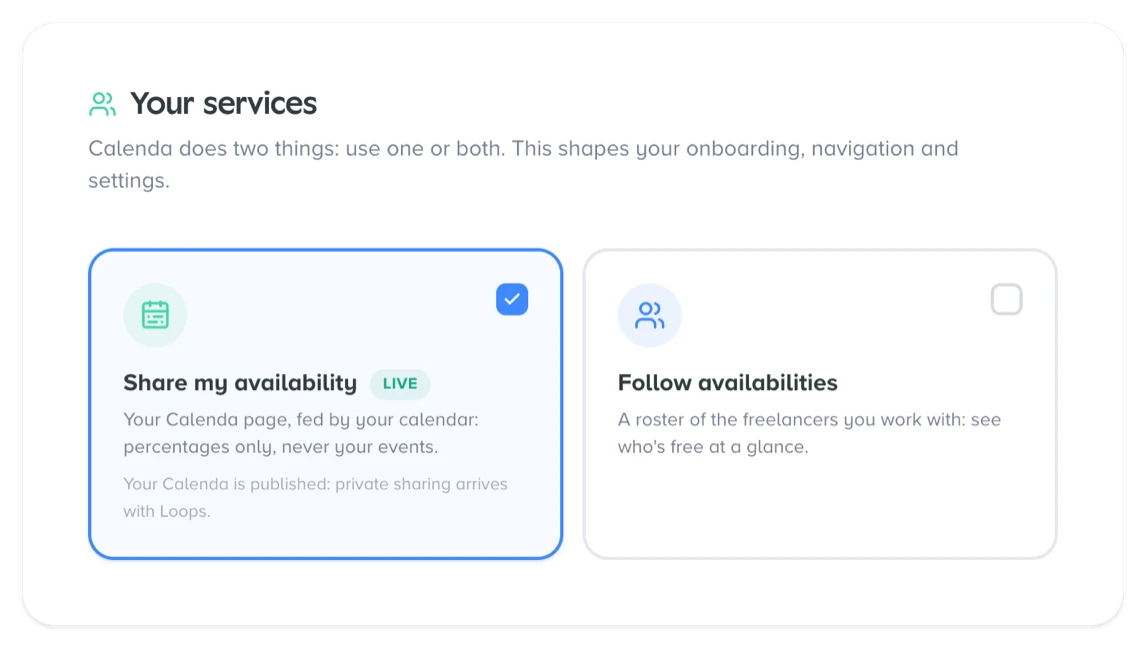
Tick what you need when you sign up, and change your mind in your settings whenever you like. Studios, agencies and freelancers who subcontract use Calenda both ways, from the same account.
“We share our availability with clients and follow our freelancers’, from the same account. It saves us an enormous amount of time. Nobody wants to go back.”Studio Pastel · Motion design, Nantes
Calenda knows when you’re busy, never why. Only the start and end of busy slots are stored. The rest of your calendar is neither read nor stored, and what isn’t stored can’t leak.
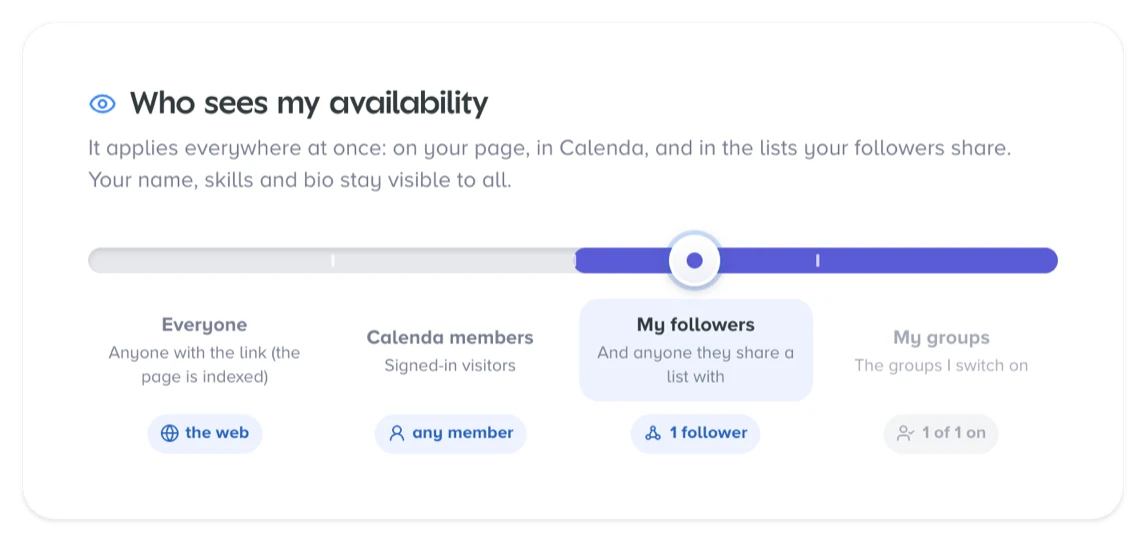
One slider, four steps. The setting applies everywhere at once, on your page, in Network and in shared lists.
You can also hide one person in particular.
Sign in with Google, or by email with a six-digit code. To follow freelancers without sharing your own availability, the setup is shorter.
Your working days and hours. You can set several time ranges per day.
Connect Google Calendar or paste an ICS link, then tick the calendars that count.
Name, job, skills and links. It’s what a visitor reads next to your availability.
Choose calenda.io/you. Your page is live, and all that’s left is to share the link.
No. Calenda stores when your busy slots start and end, nothing else. Titles, attendees, descriptions and locations are neither read nor stored. Your page shows percentages, free hours and, in the Week view, busy time without any titles.
It’s your free time divided by your working time for the day. On a 9-hour day with 3 hours busy, 6 hours are left, which is 66%. Calenda rounds down to the nearest ten and shows 60%. Days you don’t work are grayed out.
Google Calendar, with several accounts if you need them, and any calendar that provides an ICS link, including Apple iCloud, Outlook and Fastmail. Google updates as soon as an event changes. Other calendars are read again every 15 minutes.
No. Calenda shows availability, it doesn’t take bookings. Whoever is interested writes to you or calls you, and you stay in control of your schedule.
Create an all-day event in your calendar. That day drops to 0%. You can turn this off in your settings.
No, as long as the page is open to everyone, which is the default setting. Its owner can restrict it to signed-in visitors, to their followers or to certain groups. You need an account to get their contact email.
Yes. You tick both uses when you sign up, and you can change them later in your settings.
English and French. You choose the language in your account settings.
One account does both. Sign in with Google or by email.