Invite
By email, up to 20 addresses at a time, or by link. A freelancer who already has a Calenda can be followed from their page.
Bring your network’s availability together.Select, organize and share your list to see your partners’ up-to-date availability.
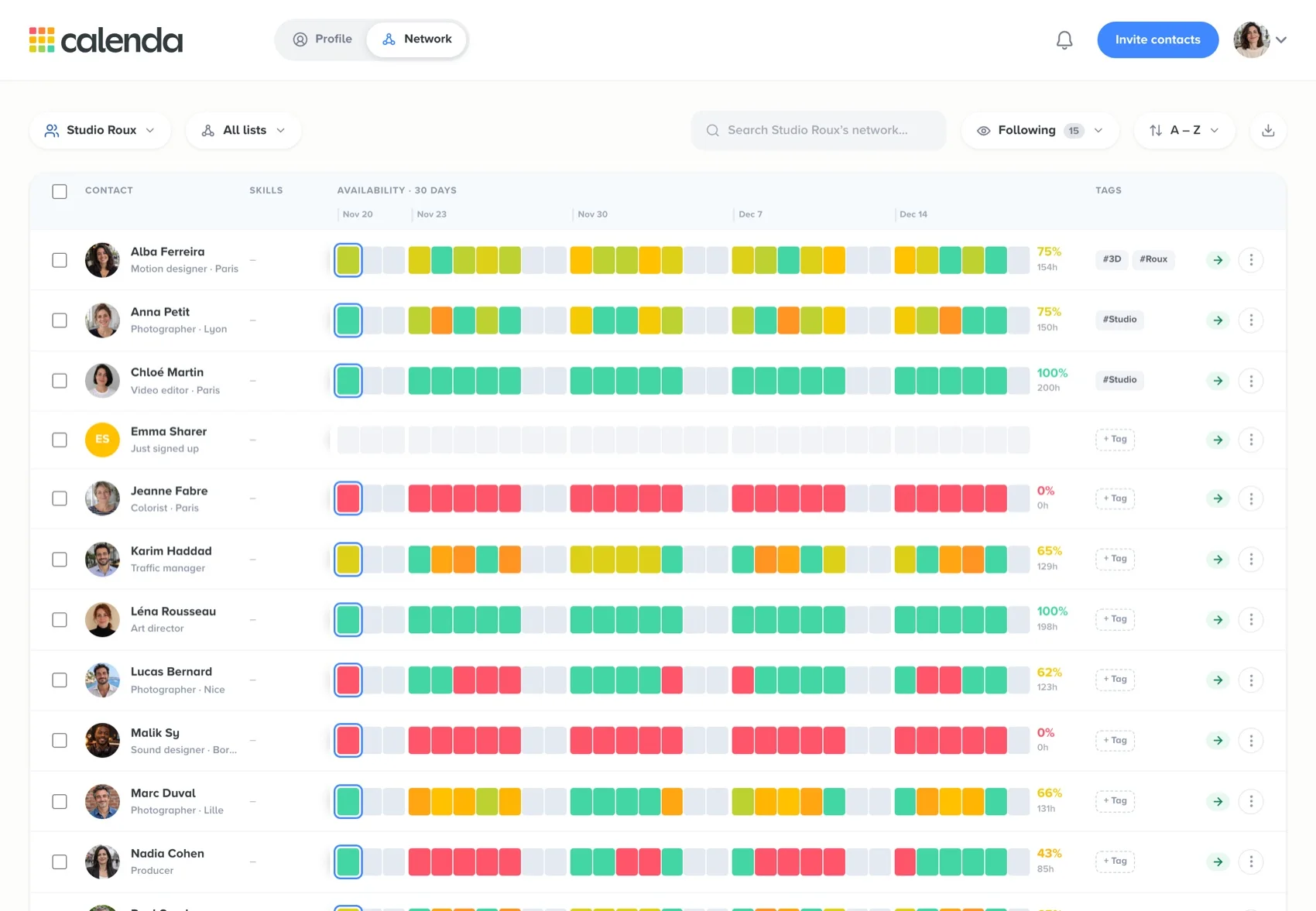
Your freelancers create their Calenda for free. Their availability comes from their calendars, so they have nothing to declare and you have nobody to chase.
By email, up to 20 addresses at a time, or by link. A freelancer who already has a Calenda can be followed from their page.
Private tags, favorites and lists. Search understands #tags.
Sort by availability, open the person’s page, then write to them or call them.
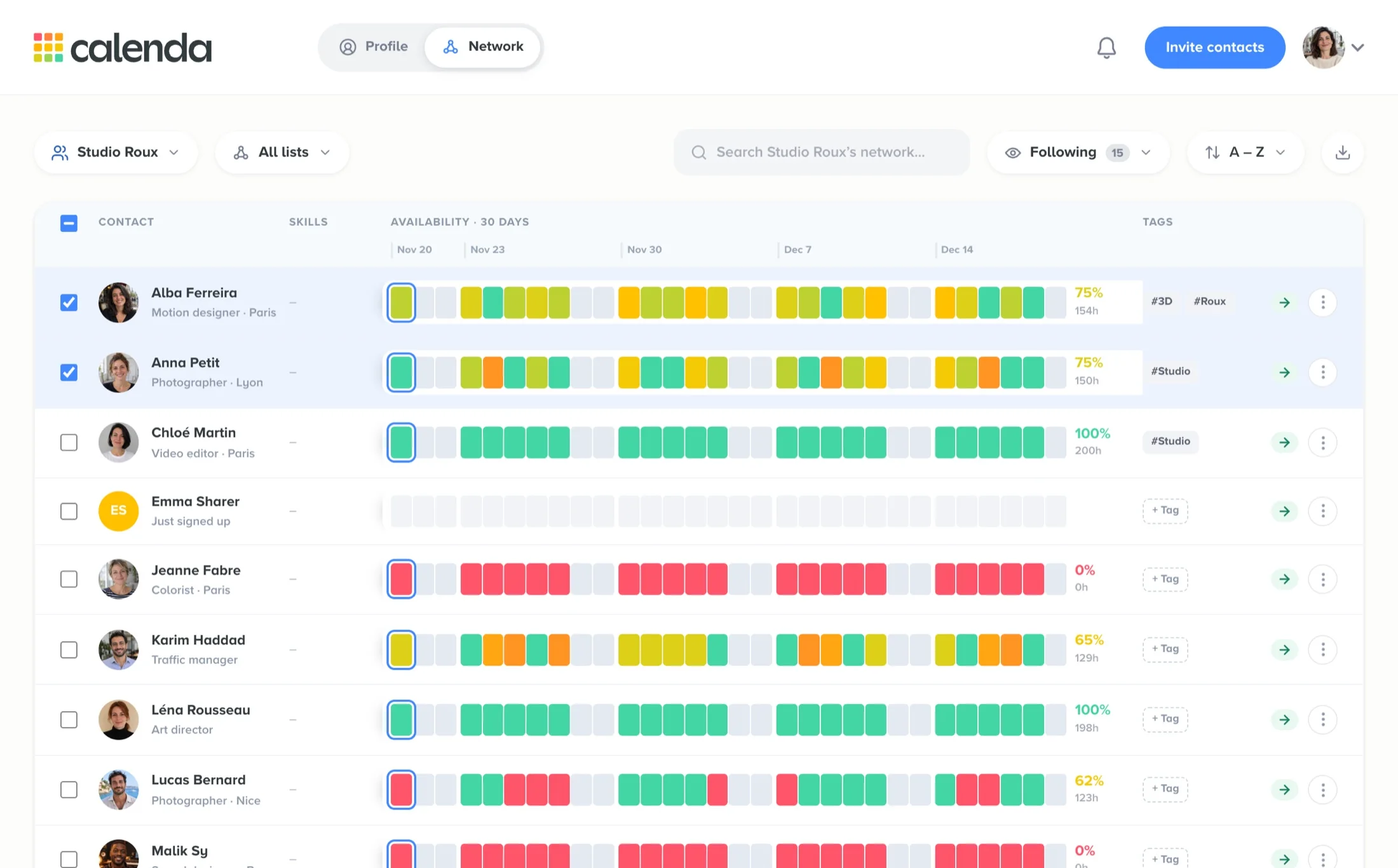
Each row shows the next 30 days as bars, the average percentage and the free hours. Check several people to follow them, tag them or add them to a list in one go.
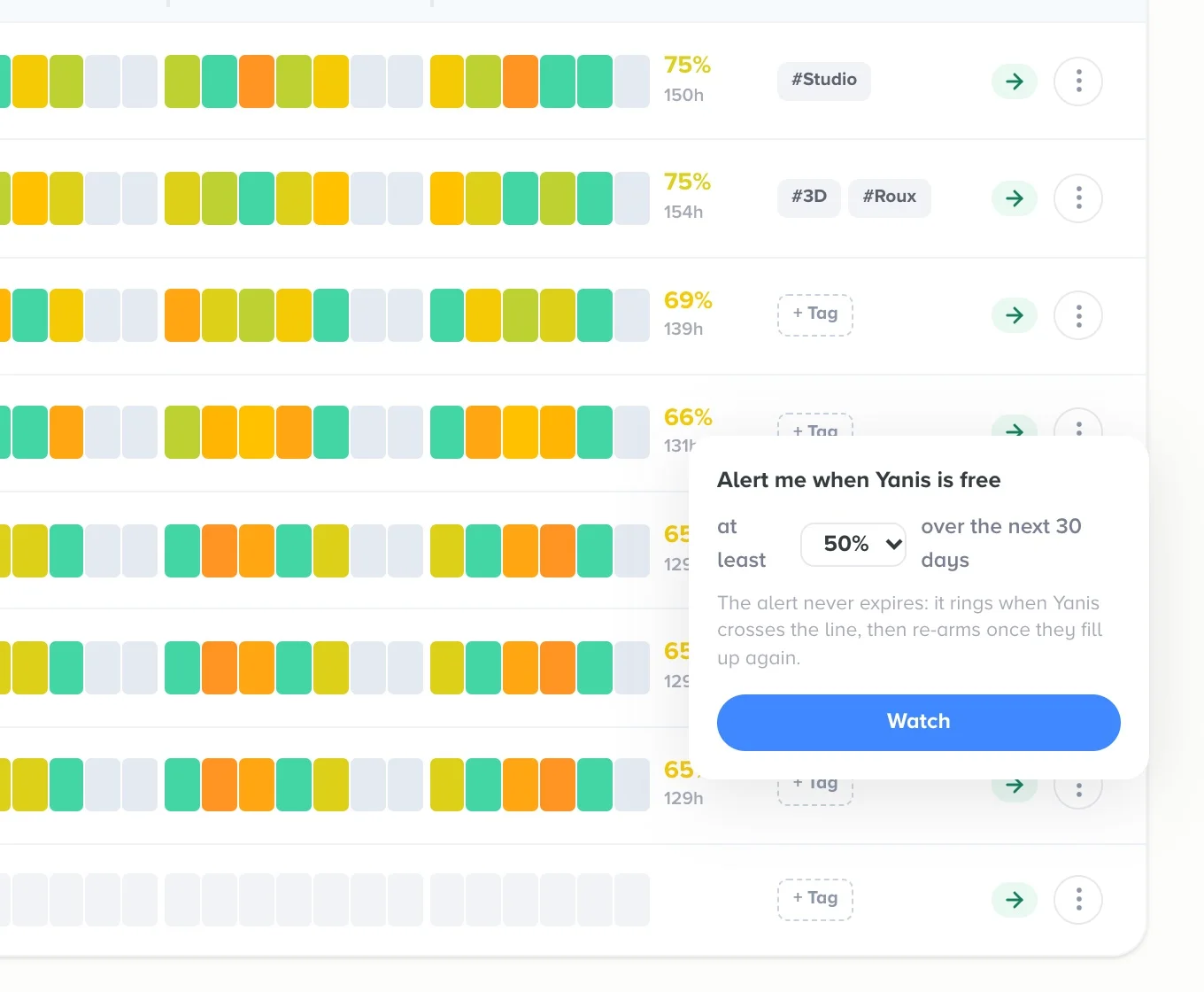
You pick a threshold, from 10 to 90% over the next 30 days. The alert doesn’t expire, and resets once the person’s calendar fills up again.
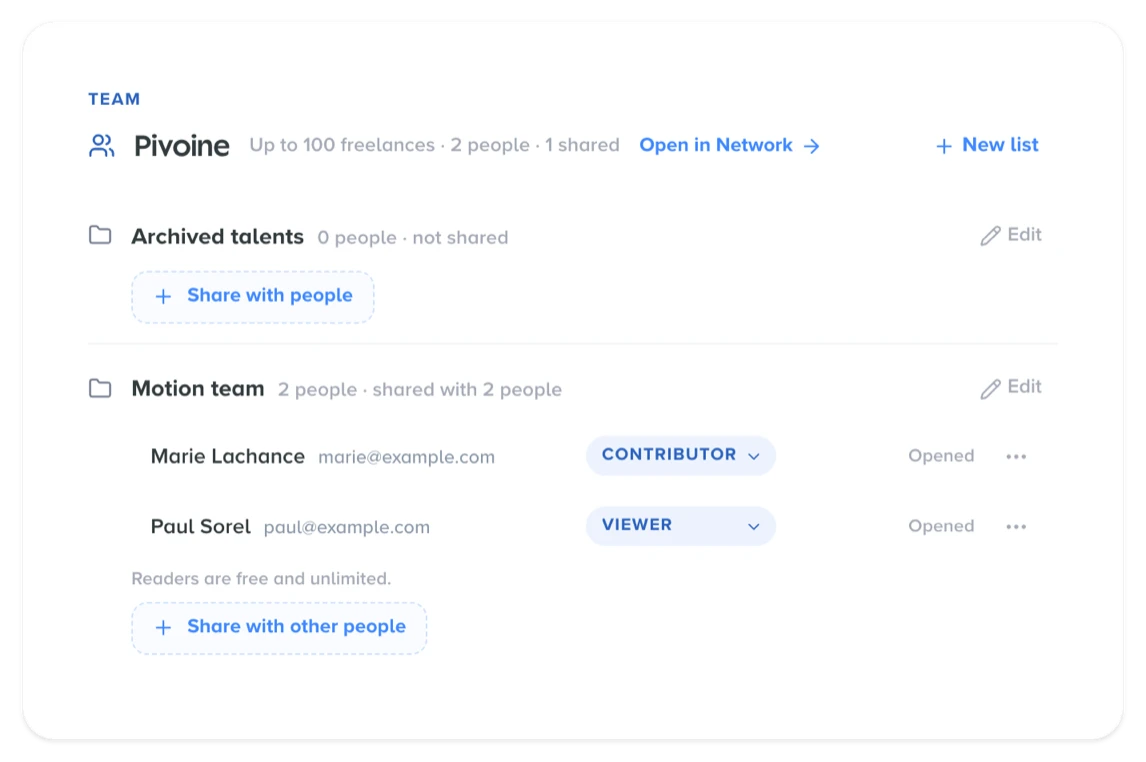
Send a selection by email, to a client or a colleague, to view or to contribute. You can take access back whenever you like.
“Staffing a project used to mean three days of messages. Now I open the network, I see who’s green, I call. The project starts the same day.”Sophie Vasseur · Head of production, Braise agency
Screenshots of the app. The people and their availability are fictional.
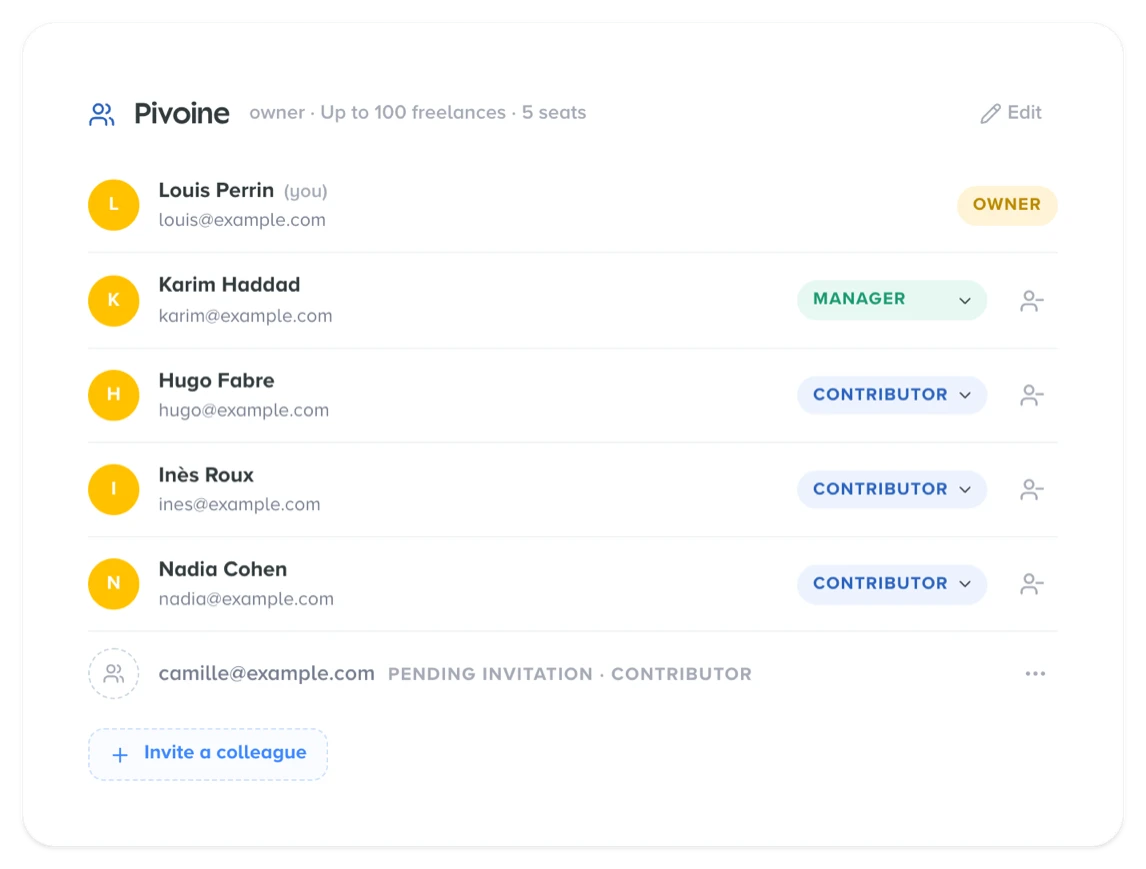
A team brings colleagues together around a shared network, separate from each person’s own. One account can belong to several teams.
Roles are included in every plan, the free one too.
“We save an enormous amount of time now that we know exactly how much bandwidth each of our freelancers has. Nobody wants to go back.”Studio Pastel · Motion design, Nantes
Each freelancer chooses who sees their availability. If their profile is open to you, you follow them right away. If not, you ask to follow them.
Beyond the free plan, each member pays a monthly rate that depends on the size of the network. Every plan is free during the beta.
See pricing →followed for free. A freelancer with no connected calendar doesn’t count.
on the free plan. A third one moves you to the first tier.
on the first tier, up to 100 synced freelancers.
Yes, their calendar is what feeds their availability. The account is free for them, and you can invite them from your network, by email or by link.
No. You see a percentage and free hours per day. Calenda doesn’t store the title, the attendees or the location of their meetings.
Yes. They choose who sees their availability, from everyone to a few groups, and they can hide one person. If their profile isn’t open to you, you ask to follow them, and they accept or decline.
Freelancers whose calendar is synced, whether you follow them or keep them in a list. A profile with no connected calendar is shown but doesn’t count.
Yes, with a list shared by email, to view or to contribute. The free plan includes one list shared with two people, and the paid plans have no limit.
The same account covers both uses. You share your availability and follow other people’s.
Invite your freelancers and follow their availability. It’s free up to 25 freelancers and 2 members.